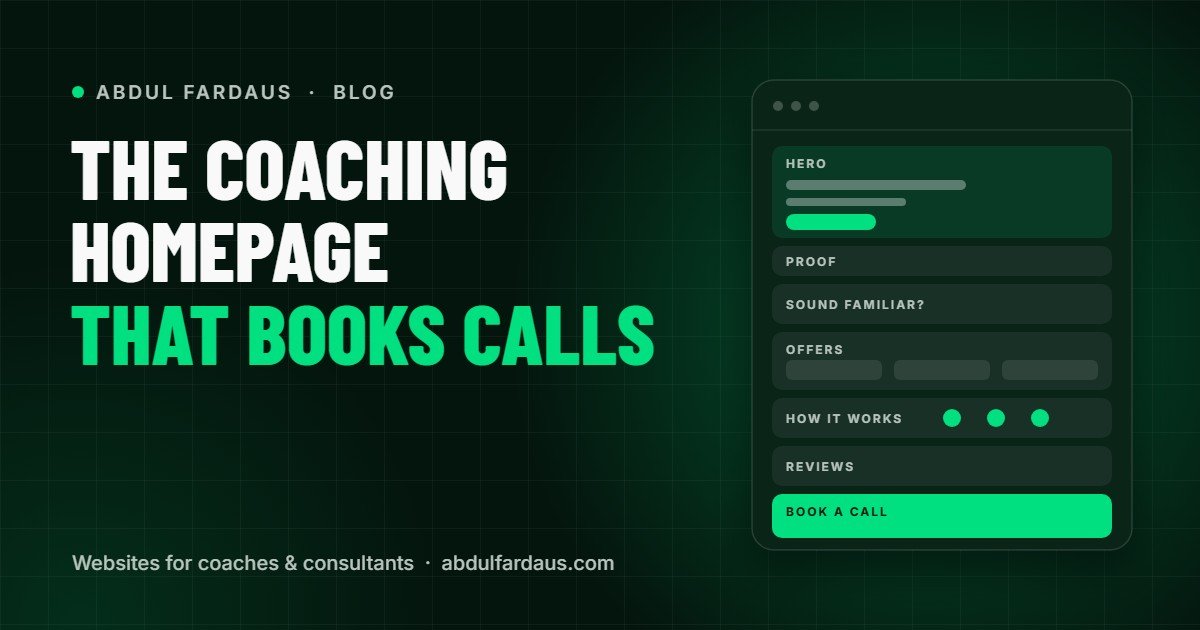
Your homepage has one job: help the right person decide to book a call with you. It doesn't need to say everything about you. It needs to say the right things in the right order.
Below is the structure I use for coaching and consulting homepages. Think of it as a conversation with a visitor who arrives curious but unsure, and leaves ready to book.
1. Hero: who you help and the result
The top of the page needs four things: a headline that names your client and the change they want, one supporting sentence, a primary button ("Book a free call") and a photo of you. People hire coaches, not logos, so a real, friendly photo matters here.
I help [who] [get a specific result] without [the thing they're tired of]. For example: "I help first-time managers lead with confidence without working every weekend."
2. A short trust strip
Right under the hero, add a quiet line of proof: logos of real clients or organisations you've worked with, where you've been featured, or a short client quote. Only use what is true and that you have permission to show.
3. "Sound familiar?": name their problem
Before you talk about your services, show visitors that you understand where they are right now. Three or four short statements in their own words work well, for example: "You're good at your job, but managing people feels like guesswork." When people feel understood, they keep reading.
4. How you help: your offers
Now introduce your offers. Keep it to the main ones (usually one to three) and for each give a name, who it's for, what's included and a link to learn more. If you have a signature program, make it the visual focus.
5. How it works: three simple steps
Remove the fear of the unknown by showing exactly what happens: 1. Book a free call. 2. Get a clear plan. 3. Start working together. Three steps is enough. This section quietly answers "What am I signing up for?"
6. Testimonials
Place your best two or three testimonials here, ideally with names, photos and the specific change your clients experienced. Video testimonials are even better. Link to a full reviews page for visitors who want more.
7. A short About section
A few sentences about you, your background and why you do this work, with a link to your full About page. Keep the focus on what it means for the client: your experience, your approach and how sessions feel.
8. FAQ
Answer the questions people ask before they book: How long is the call? Is it really free? Is it online? Who is this not for? Each answer removes a small reason to wait.
9. Final call to action
End with a clear, confident invitation to book, repeating the same button text you used at the top. A sentence like "A 30-minute call, no pressure, and you'll leave with a clear plan" lowers the barrier further.
Common mistakes to avoid
• Leading with your name or credentials instead of the client's problem
• Several competing buttons in the hero section
• Long paragraphs that are hard to read on a phone
• Stock photos where a real photo of you would build more trust
• No booking option on the homepage itself
You can see this structure in action on the work page, where I share real client websites and coaching website concepts.
Want a second pair of eyes?
If you already have a website, I'll review it for free and send you a short video with the three changes that would make the biggest difference. Request your free website review, or book a free strategy call if you're planning a new site.